
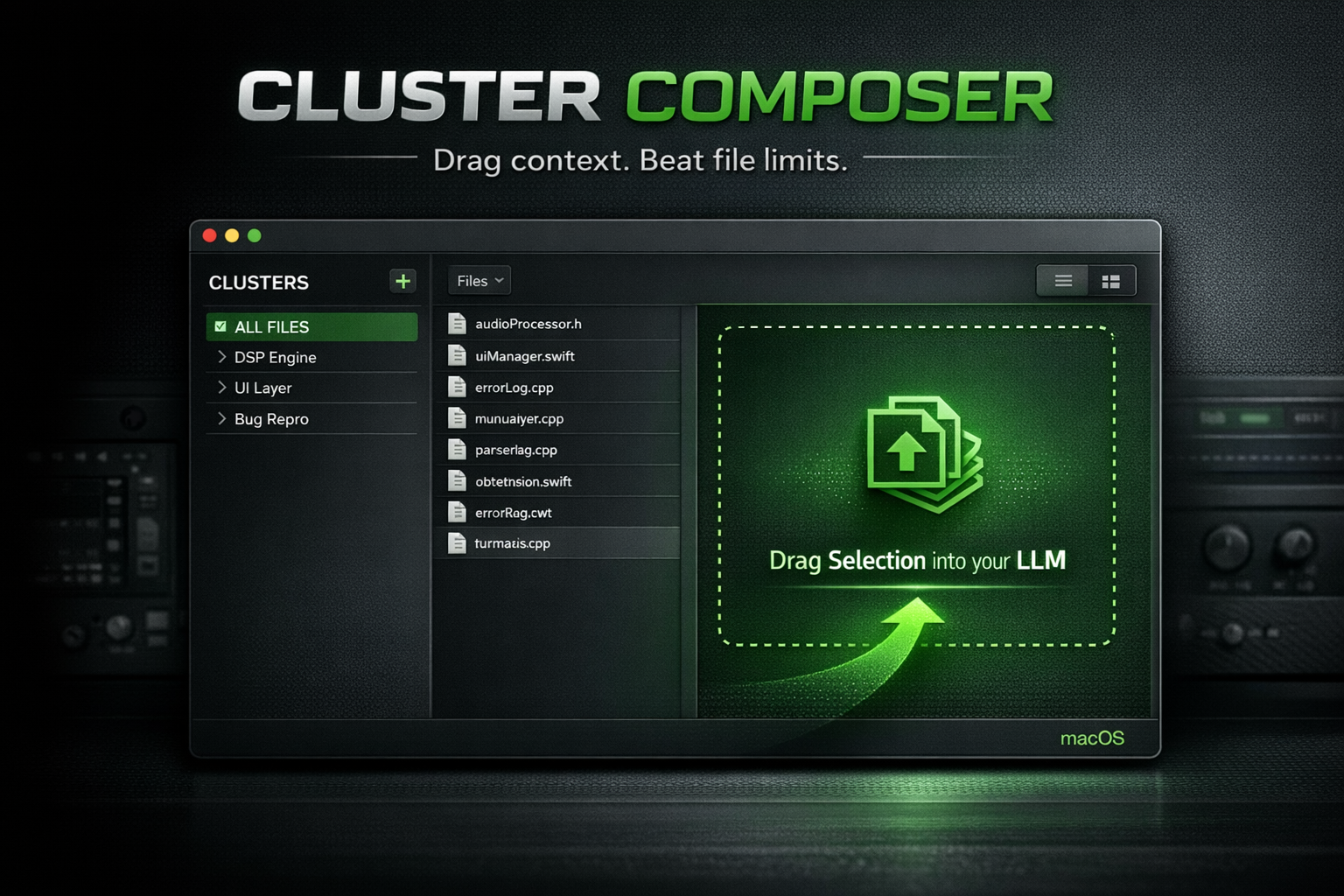
CLUSTER COMPOSER (Mac)
Original price was: 29,00 €.9,99 €Current price is: 9,99 €.
CLUSTER COMPOSER is a modern macOS dev utility that turns real projects into clean, LLM-ready context dumps.
Fix Gemini’s macOS file-type friction for source files, bypass the 10-file upload limit, and export exactly the scope you want by dragging a selection or an entire Cluster directly into your LLM.
Instant Download after purchase
CLUSTER COMPOSER
A modern macOS developer utility for frictionless LLM workflows
Overview
CLUSTER COMPOSER is a macOS-native developer tool designed to remove structural friction when working with large language models such as GPT and Gemini.
If you use LLMs for code review, debugging, refactoring, or architectural analysis, you have likely encountered two persistent limitations:
Certain LLM upload interfaces reject common source file types on macOS, including
.h,.cpp, and sometimes.swift.Even paid LLM tiers enforce a strict file upload limit, forcing manual bundling, zipping, or lossy context reduction.
CLUSTER COMPOSER solves both problems by transforming real-world codebases into curated, LLM-ready context artifacts that can be exported instantly via drag and drop.
Core Concept
Instead of uploading files individually, CLUSTER COMPOSER lets you define intent-based clusters of source files and export them as a single, clean context payload.
You decide the scope. The tool handles the rest.
Workflow
1. Import a project or folder
Drop a project root or folder into CLUSTER COMPOSER. The application scans the directory and builds a complete internal file inventory.
2. Define Clusters
Create clusters based on purpose or scope, for example:
DSP Engine
UI Layer
Bug Reproduction
Preset System
Licensing
Build Errors
Clusters allow you to isolate exactly the context an LLM needs, without noise.
3. Export via drag and drop
Drag an entire Cluster into your browser or LLM to generate a consolidated, upload-ready context dump.
Or select individual files and drag only that selection when you need a minimal scope.
The result is a single text artifact that bypasses file-type restrictions and upload limits.
4. Automatic output handling
Smaller exports are copied directly to the clipboard.
Larger exports are automatically written to disk as a
.txtfile.
No manual intervention required.
Why CLUSTER COMPOSER is different
No manual bundling
No zipping, renaming, or hand-merging files.Precise scope control
Export only what matters. Avoid polluting prompts with irrelevant code.LLM-friendly output
Generates clean text artifacts that upload reliably even when raw source files are rejected.Drag-first UX
One consistent interaction model for selections and full clusters.
This results in faster iterations, better LLM responses, and a dramatically reduced setup overhead.
Operating Modes
Dump Mode
Generates a structured, consolidated context dump from selected files or clusters. Export via drag, clipboard, or file output.
Cleanse Mode
Creates a sanitized mirror of your project where source files are converted to .txt while preserving directory structure. Ideal for large audits or repeated ingestion.
Roadmap (near-term)
Project Management: Save & Load
Save named Cluster configurations as Projects
Reload Projects instantly across sessions
Enable repeatable workflows for audits, bug reports, and refactors
Foundation for future sharing and collaboration features
Platform & Security
Platform: macOS
Local-first: all processing happens on your machine
No cloud services, no telemetry, no uploads performed by the app itself
Security note
This build is currently not notarized. On first launch, macOS may display a security warning. Clear, step-by-step instructions are included to allow the app safely.
Reviews
There are no reviews yet.