
HYDRACREATE THE SOURCE.
Describe a sound. Generate audio inside VECTRA. Then turn it into an instrument using the Sample Engine.
HYDRA joins neural audio generation with hands-on synthesis. The prompt starts the process. What you do with the sound afterward is entirely yours.
HEAR WHAT HYDRA
CAN CREATE.
From intricate breakbeats and psychedelic atmospheres to distorted percussion and cinematic impacts. Listen to six examples of the sounds possible with HYDRA’s neural generation engine.
Select a sound and listen. Explore the different textures, rhythmic ideas and sonic detail before creating your own.
From a description to a sound.
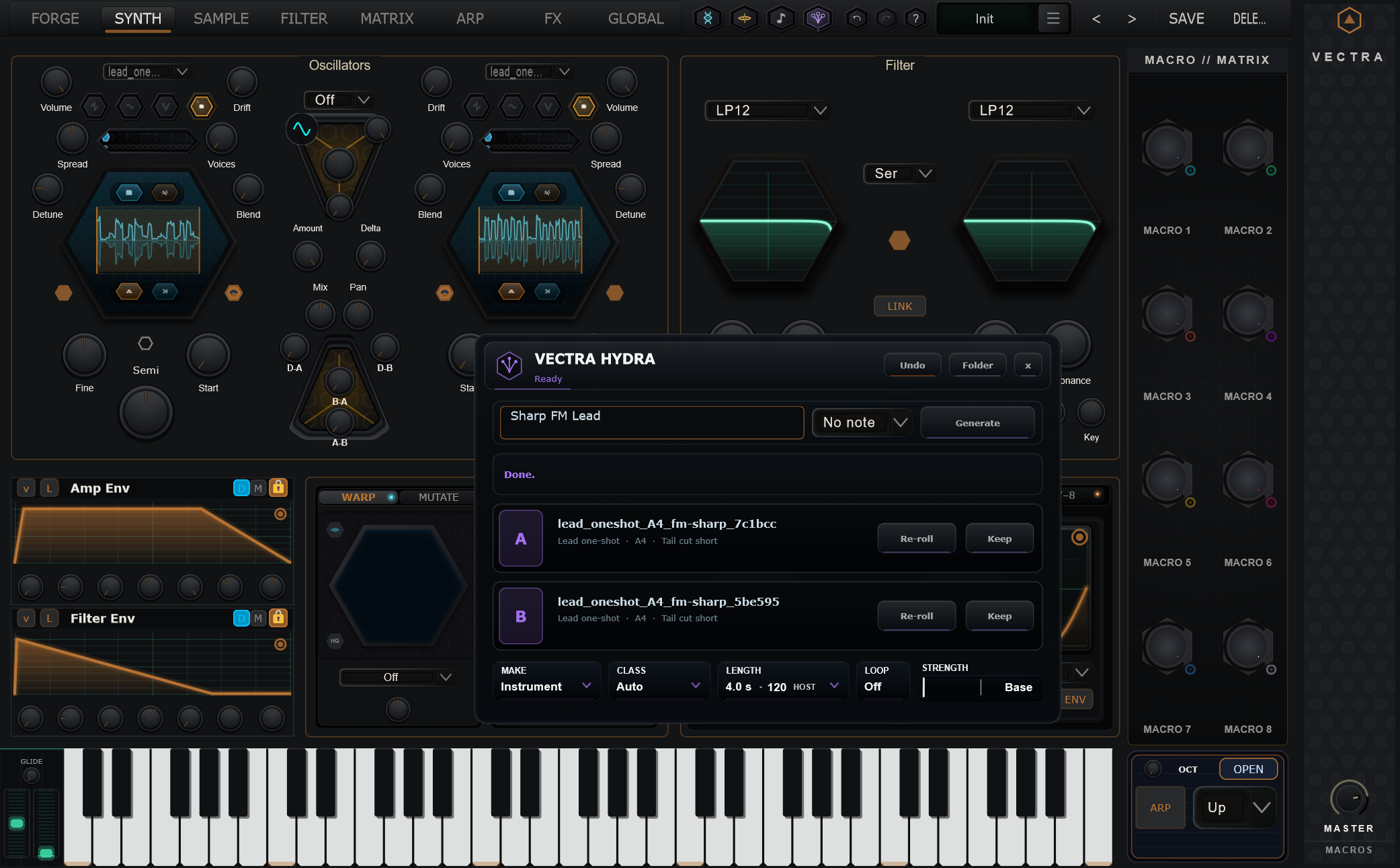
A sharp FM lead. An intricate mechanical texture. An unusual atmospheric layer. Rather than searching a collection for something close, HYDRA lets you describe the material you want to explore.
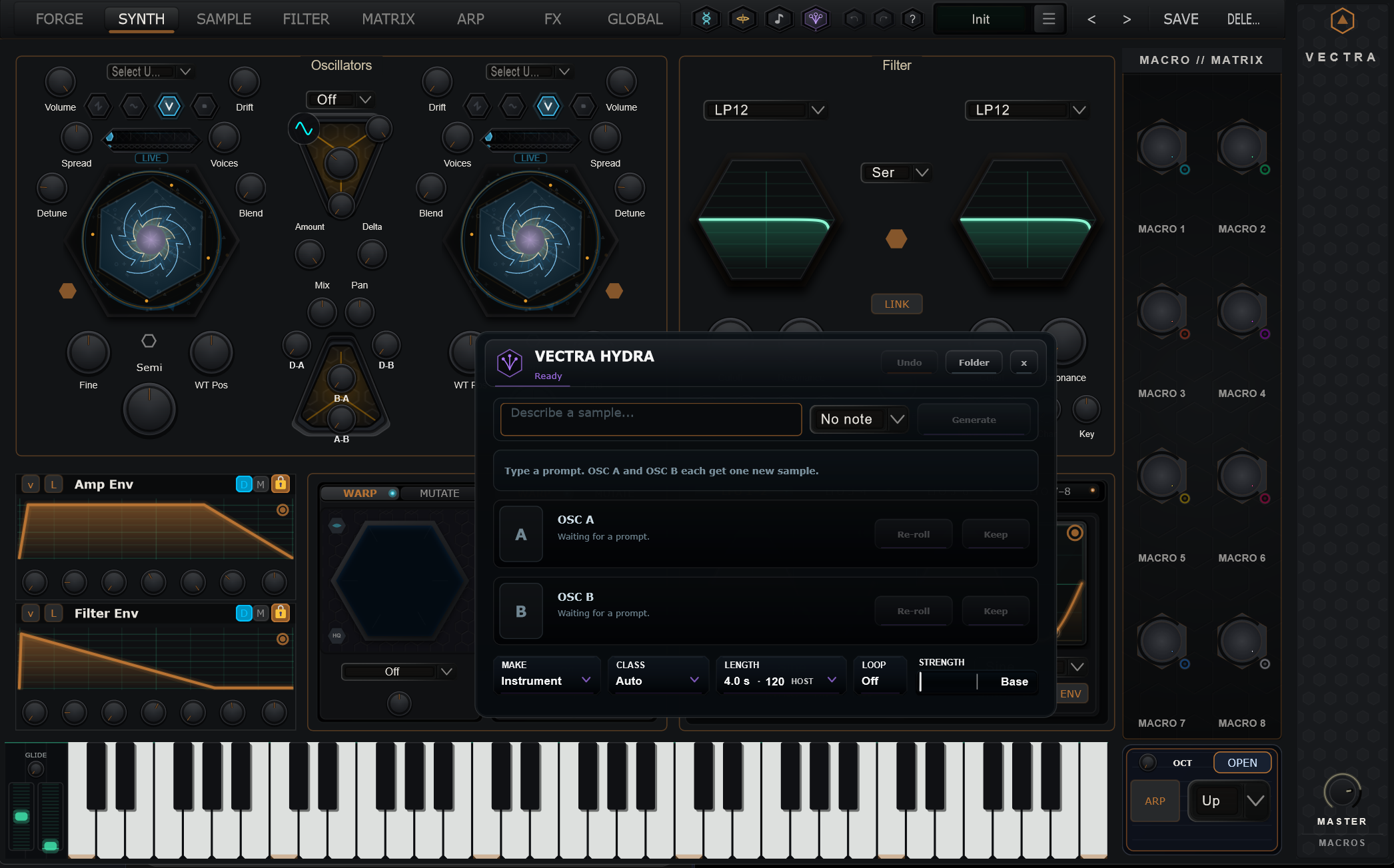
Type a prompt, choose your generation settings, and create candidates right from the VECTRA interface. Its controls include generation type, class, duration and other options for steering the result.
This is source creation, not automatic patch design: HYDRA generates audio, while VECTRA provides the tools to turn it into a playable sound.
Generate. Compare. Keep.
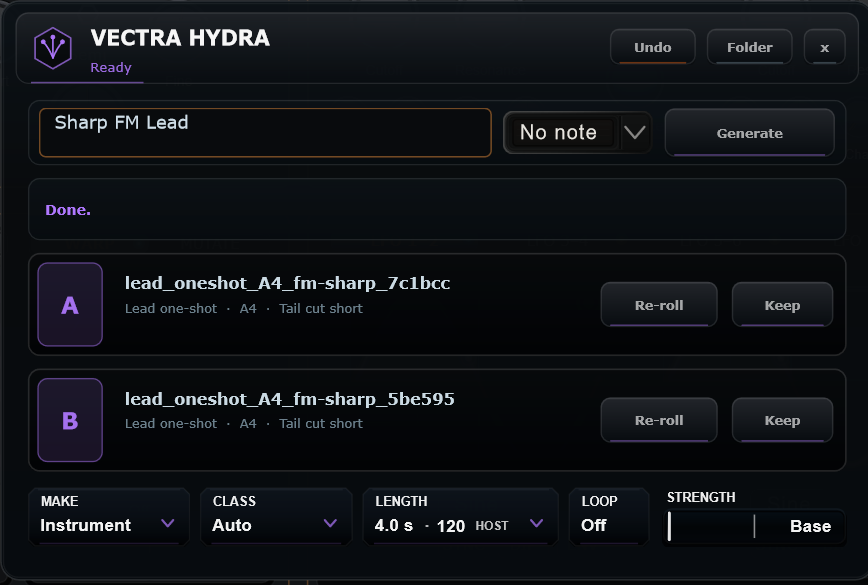
HYDRA presents candidate results you can evaluate before moving on. The interface supports two destinations, A and B, along with controls to keep a candidate or generate another variation.
That distinction matters: not every generation needs to be the final sound. Audition different outcomes, keep the interesting ones, and build a patch around the material you actually want.
Start with intent.
Enter a sound description instead of beginning from a fixed preset.
Find the material.
Compare candidates and explore variations through the HYDRA interface.
Make it an instrument.
Move generated audio into VECTRA’s sample playback and synthesis workflow.
Generation is only the beginning.
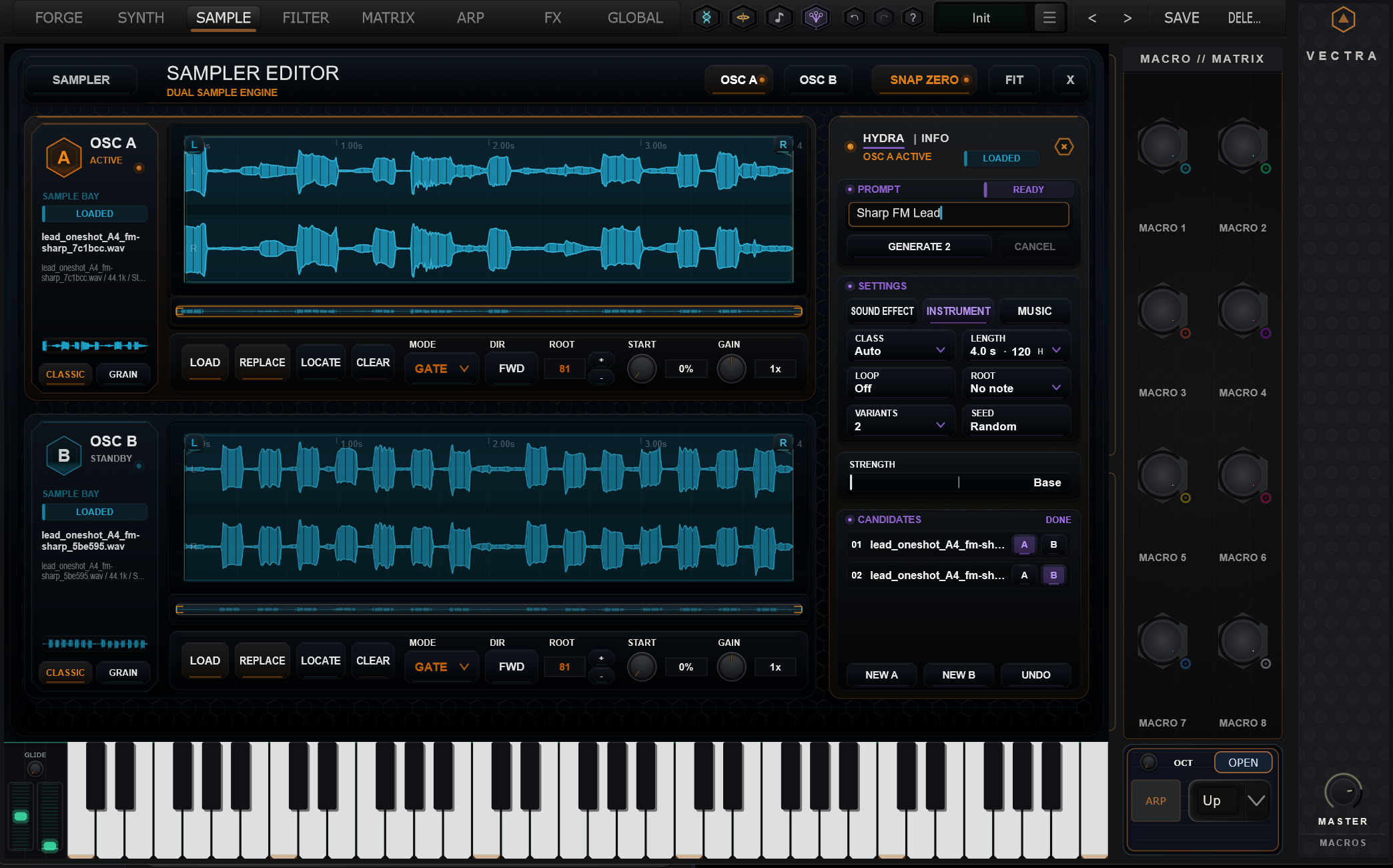
When a candidate becomes a sample source, VECTRA’s dual Sample Engine takes over. You can work with the generated waveform in classic sample playback or explore granular treatment, then continue processing it as part of a larger patch.
Shape the source.
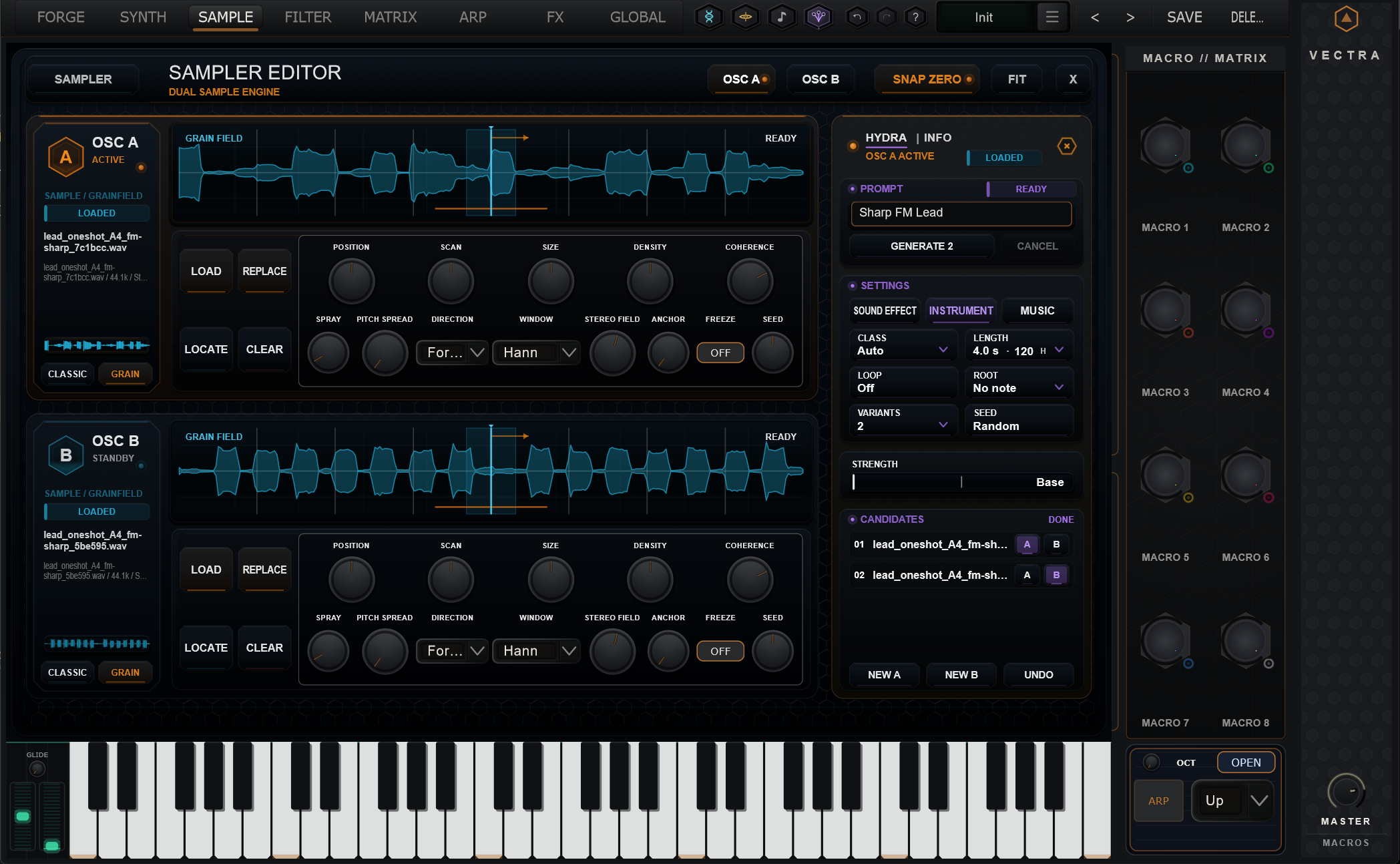
Place generated audio in OSC A and OSC B, with waveform editing, root-note and playback controls available in the instrument.
Go beyond the original.
Explore position, scan, grain size, density and other granular controls to reshape generated material.
Both images show actual HYDRA sample material loaded in VECTRA. They are interface captures, not concept art.
See HYDRA inside VECTRA.
Watch the supplied video at the HYDRA demonstration timecode. The player starts at approximately 24:13, so you can go directly to the relevant part of the longer recording.
Neural material. Real synthesis.
HYDRA performs neural audio generation locally on supported computers, rather than treating the generated result as a remote-only asset. Generation time and available settings depend on your hardware and configuration.
It is an add-on for the VECTRA ecosystem, not a separate replacement for the synthesizer. The creative chain remains direct: an idea becomes audio, and that audio becomes material you can play, filter, modulate and combine with VECTRA’s other engines.
Windows and macOS release packages have been prepared. Exact system requirements, edition access and activation details belong on the HYDRA product page.
Don't just find a sound. Create the source.
HYDRA opens a new route into VECTRA sound design: describe, generate, audition, and keep building. A generated sample is the beginning of the instrument, not the end of the process.
HYDRA is an add-on for compatible VECTRA installations. Availability, requirements, price and edition inclusion will be stated on the HYDRA product page at launch.