
Audionerdz / VECTRA Documentation
VECTRA Maelstrom FX Overview Manual
FX Chain, Module Cards, Expanded Editors and Creative Processors
Maelstrom FX is VECTRA's integrated modular effect environment for ordered chain building, rack-level editing, expanded processors and performance-ready sound design.
Overview
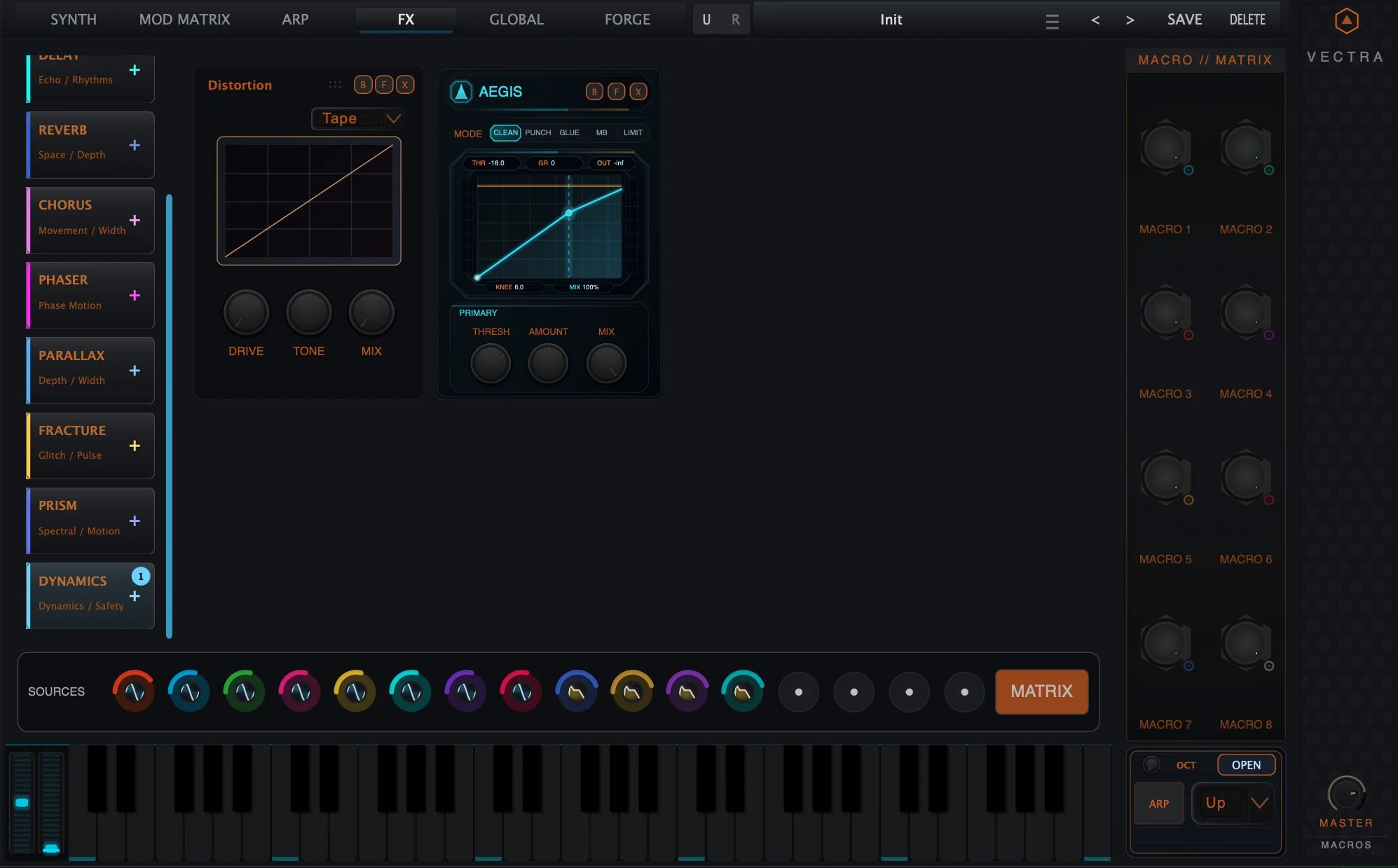
Maelstrom FX is Vectra's integrated modular effect environment. It processes the patch after the core synthesis layer and gives each preset its own ordered FX chain for tone shaping, space, movement, rhythmic disruption, stereo control, spectral motion and dynamics safety.
The Maelstrom chain can host up to eight active FX modules. Modules are processed in order, so the position of each card matters. You can build a clean finishing chain, a wild modulation chain, a glitch transition system or a complete performance FX setup directly inside the Vectra preset.
| Role | What Maelstrom provides |
|---|---|
| Tone and drive | Distortion and EQ shape the harmonic and frequency character. |
| Space and movement | Delay, Reverb, Chorus and Phaser add timing, depth, width and animated motion. |
| Advanced transformation | Parallax, Fracture and Prism FX provide stereo-field, rhythmic and spectral processing. |
| Dynamics and safety | Aegis Dynamics controls level, punch, density, linked multiband behavior and safety limiting. |
Quick Start
Add your first module
- Open the FX tab from Vectra's top navigation.
- Choose a processor from the left Maelstrom module palette.
- Adjust the compact module card in the rack overview.
- Press F on the card when you want the expanded editor.
- Save the Vectra preset when the FX chain is part of the sound.
Build a clean finishing chain
- Add EQ to shape the tone before spatial or dynamics processing.
- Add Parallax if the sound needs width, depth or center-field control.
- Add Aegis Dynamics near the end for level control, punch, glue or safety.
- Drag compact cards in overview mode if the processing order needs to change.
Build a movement or glitch chain
- Add Chorus or Phaser for modulation movement.
- Add Delay or Reverb for echo, space and tail behavior.
- Add Fracture for rhythmic fragments, fills and glitch pulses.
- Use module Mix controls conservatively, then increase intensity where needed.
FX Page at a Glance
The FX page keeps the regular Vectra shell visible while giving the center of the instrument to Maelstrom. The page is divided into a module palette, a chain workspace, performance controls and the lower SourceBar.
| Zone | Purpose |
|---|---|
| Top Vectra shell | Switches pages, shows preset state and keeps Vectra navigation available. |
| Left module palette | Adds Maelstrom modules to the chain. |
| Central workspace | Shows compact cards in rack overview or one expanded module editor in focus mode. |
| Right Macro / Matrix column | Keeps performance macro controls visible while editing FX. |
| Lower SourceBar | Keeps Vectra's modulation and performance source context available. |
Left Module Palette
The left palette is the starting point for building a Maelstrom chain. Each entry names a module family and gives a short production role. Clicking an entry adds that module to the chain. Dragging from the palette can place a module at a chosen position in the chain.
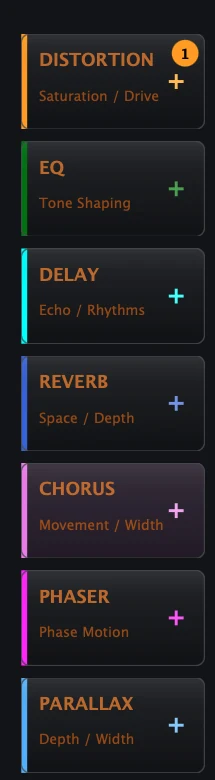
| Module | Palette subtitle | Use |
|---|---|---|
| Distortion | Saturation / Drive | Adds drive, saturation, clipping, digital crush or wavefolding. |
| EQ | Tone Shaping | Shapes low, mid and high frequency balance. |
| Delay | Echo / Rhythms | Creates echoes, rhythmic repeats and stereo time motion. |
| Reverb | Space / Depth | Adds space, depth, bloom and algorithmic tails. |
| Chorus | Movement / Width | Adds modulation thickness and stereo motion. |
| Phaser | Phase Motion | Adds sweeping phase movement and animated notches. |
| Parallax | Depth / Width | Sculpts stereo depth, width and center stability. |
| Fracture | Glitch / Pulse | Creates rhythmic fragments, pulse repeats and glitch events. |
| Prism FX | Spectral / Motion | Adds spectral focus, warp, memory and motion. |
| Aegis Dynamics | Dynamics / Safety | Controls punch, glue, density, linked multiband behavior and limiter-style safety. |
Building the Maelstrom Chain
A Maelstrom chain is an ordered list of FX modules. It can contain up to eight active module slots. Because the chain is ordered, a module placed before another module changes what the next processor receives.
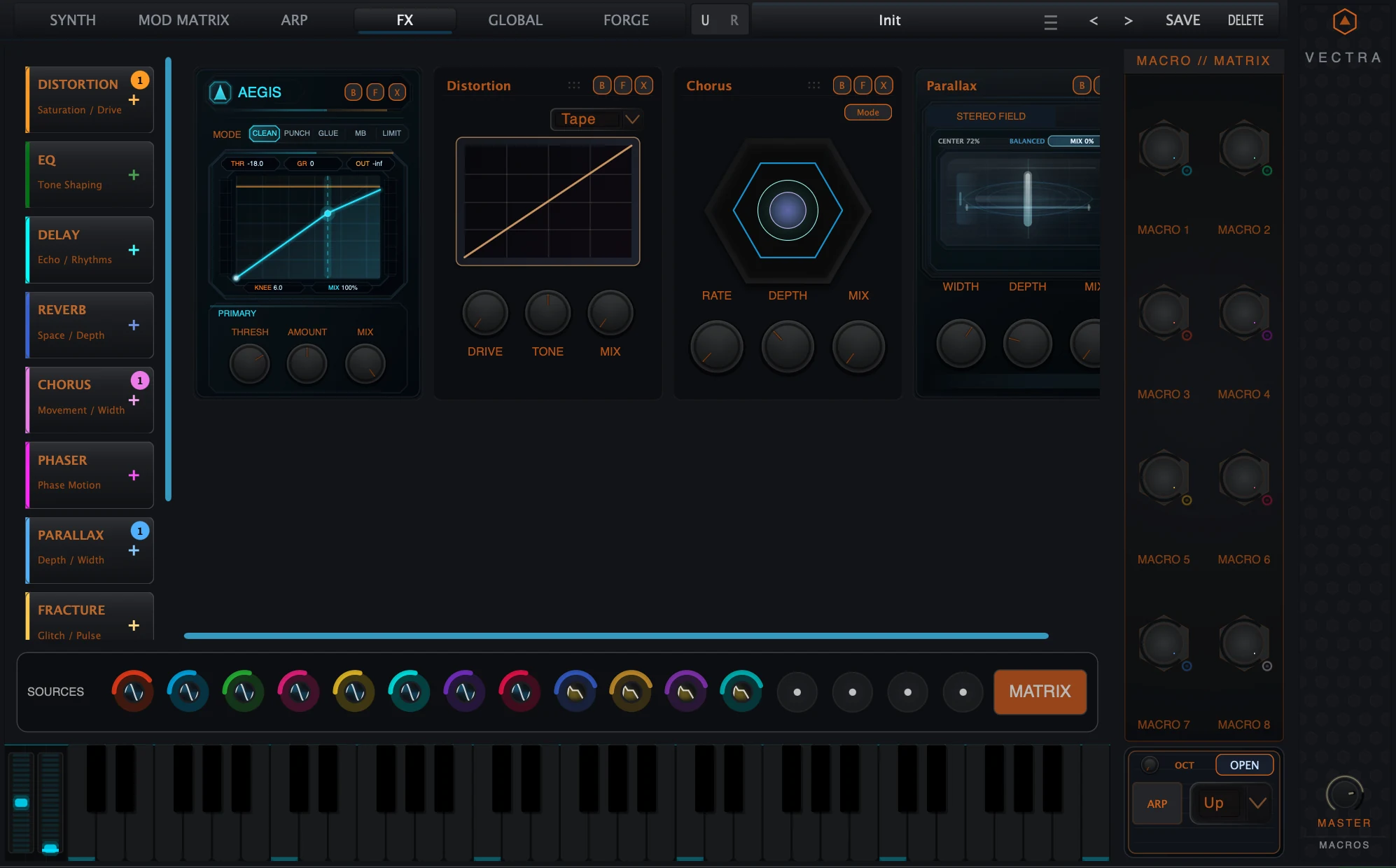
| Action | Result |
|---|---|
| Click a palette module | Adds that processor to the chain. |
| Drag from the palette | Places a new module at the drop position in the rack overview. |
| Drag a compact card | Reorders the existing module chain in overview mode. |
| Press F | Focuses the module and opens the expanded editor. |
| Press B | Bypasses the module without deleting it. |
| Press X | Removes the module from the current chain. |
Compact Module Cards
Compact cards are Maelstrom's rack-level control surfaces. They show the processor name, a compact display where available, a few high-value controls and the B/F/X module buttons.
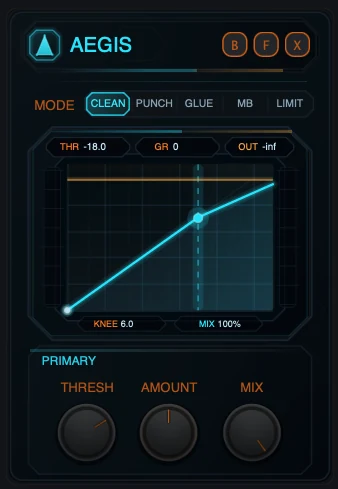
| Card element | Meaning |
|---|---|
| Module name | Shows which processor the card controls. |
| Mini display | Gives fast visual feedback, such as a curve, field, spectrum or time display. |
| Quick controls | Expose the most important everyday controls without entering the expanded editor. |
| B button | Bypasses the module. |
| F button | Focuses or expands the module. |
| X button | Removes the module from the chain. |
| Drag area | Lets the card be reordered in overview mode. |
Expanded Module Editors
Expanded editors are the full-size editing state for a module. Press F on a compact card to focus that processor. The central workspace then becomes a detailed module editor with a larger display, deeper controls and module-specific workflow information.
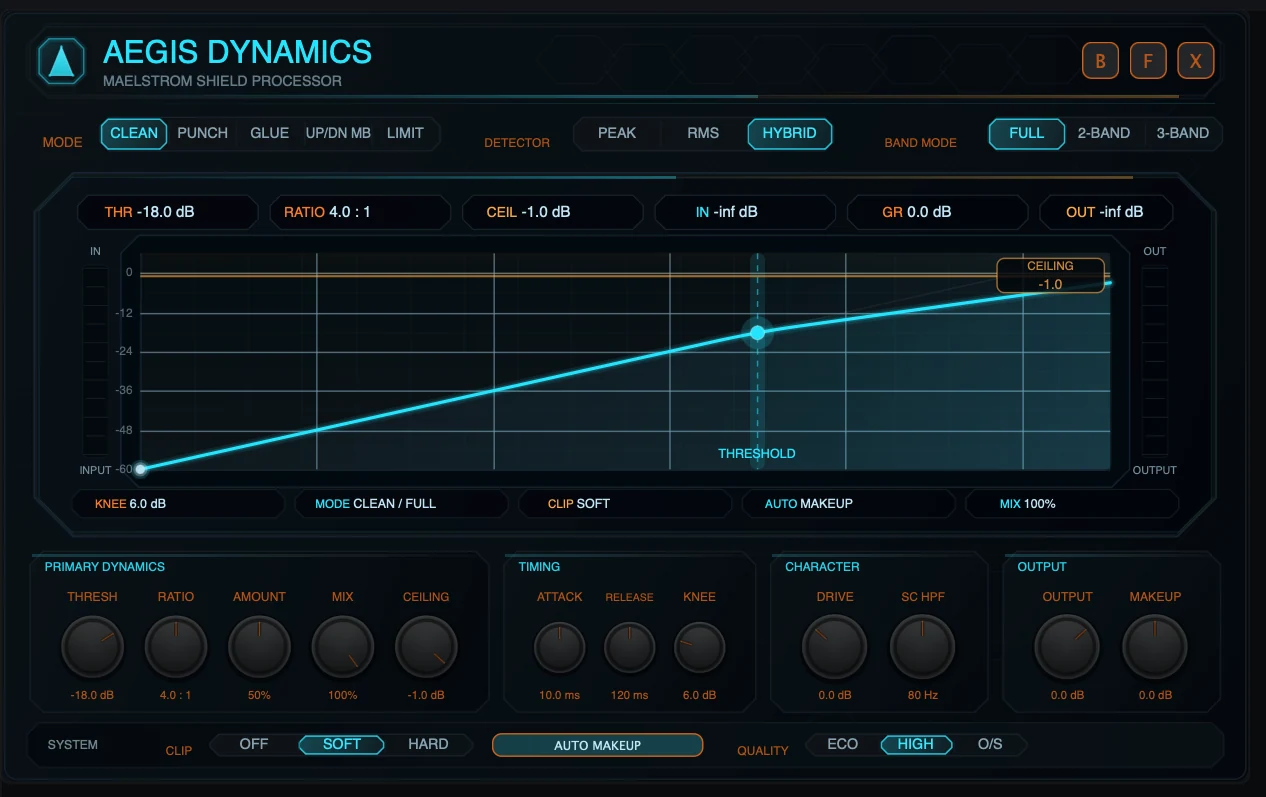
While a module is focused, the other rack cards are hidden so the selected processor can use the workspace. Reordering and adding modules are overview workflows, so return to the rack overview before changing chain structure.
| Compact card | Expanded editor |
|---|---|
| Fast access to core controls. | Detailed module-specific interface. |
| Best for chain balancing. | Best for sound design and precise editing. |
| Visible with other modules in overview. | Uses the central workspace for one focused module. |
| Supports rack reordering from the card. | Designed for editing, not chain reordering. |
Bypass, Focus, Remove and Reorder
Every Maelstrom module card uses the same core control idea. Bypass keeps the module in the chain but skips its processing. Focus expands it for detailed editing. Remove deletes it from the current chain.
| Control | Meaning | Use when |
|---|---|---|
| B | Bypass | You want to compare the chain with and without the module. |
| F | Focus / expand | You want deeper editing and a larger visualizer. |
| X | Remove | You no longer want this processor in the chain. |
| Drag compact card | Reorder | You want to change the serial processing order. |
Signal Flow and Preset Storage
Maelstrom processes after Vectra's core synthesis layer. The synth engine, oscillators, filters, envelopes and modulation create the patch source first. Maelstrom then processes the audio through the current FX chain in order. Bypassed modules are skipped.
| Stage | Role |
|---|---|
| Core synthesis | Oscillators, sample engines, filters, envelopes and modulation generate the patch. |
| Maelstrom FX chain | Processes the sound through the active module order. |
| Output context | The processed patch continues to final output handling. |
Maelstrom chain state is stored with Vectra presets. This includes the active module order, module types, bypass state and module settings. A preset can therefore contain a complete FX design, not just a dry synth patch.
Back to topModule Family Overview
Maelstrom contains ten module families. The classic processors provide essential production tools. The advanced Maelstrom processors expand Vectra into stereo-field design, fragment repetition, spectral motion and dynamics safety.
| Module | Role | Typical compact controls |
|---|---|---|
| Distortion | Drive, saturation, clipping, digital crush and harmonic intensity. | Drive, Tone, Mix |
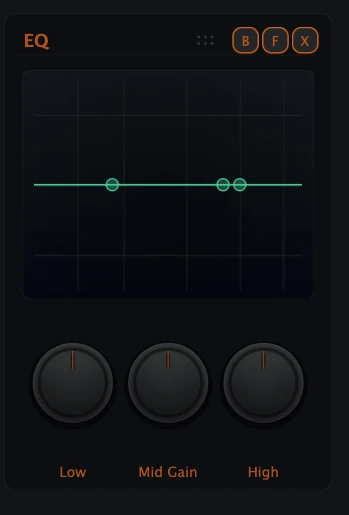
| EQ | Three-band tone shaping with low, sweepable mid and high emphasis. | Low, Mid Gain, High |
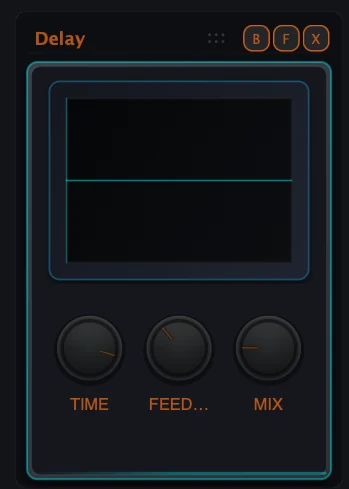
| Delay | Echo, rhythm, stereo spread and moving time effects. | Time, Feedback, Mix |
| Reverb | Space, depth, tail, width and advanced reverb algorithms. | Room/Size, Damping/Tone, Mix |
| Chorus | Modulation thickness, stereo movement and width. | Rate, Depth, Mix |
| Phaser | Sweeping phase motion and animated notch movement. | Rate, Depth, Mix |
| Parallax | Stereo field depth, width and center control. | Width, Depth, Mix |
| Fracture | Rhythmic fragments, glitch pulses and repeat events. | Rate/Division, Slice, Mix |
| Prism FX | Spectral focus, warp, diffusion, memory and motion. | Focus, Warp, Mix |
| Aegis Dynamics | Leveling, punch, glue, linked multiband behavior and safety. | Threshold, Amount, Mix |
Distortion
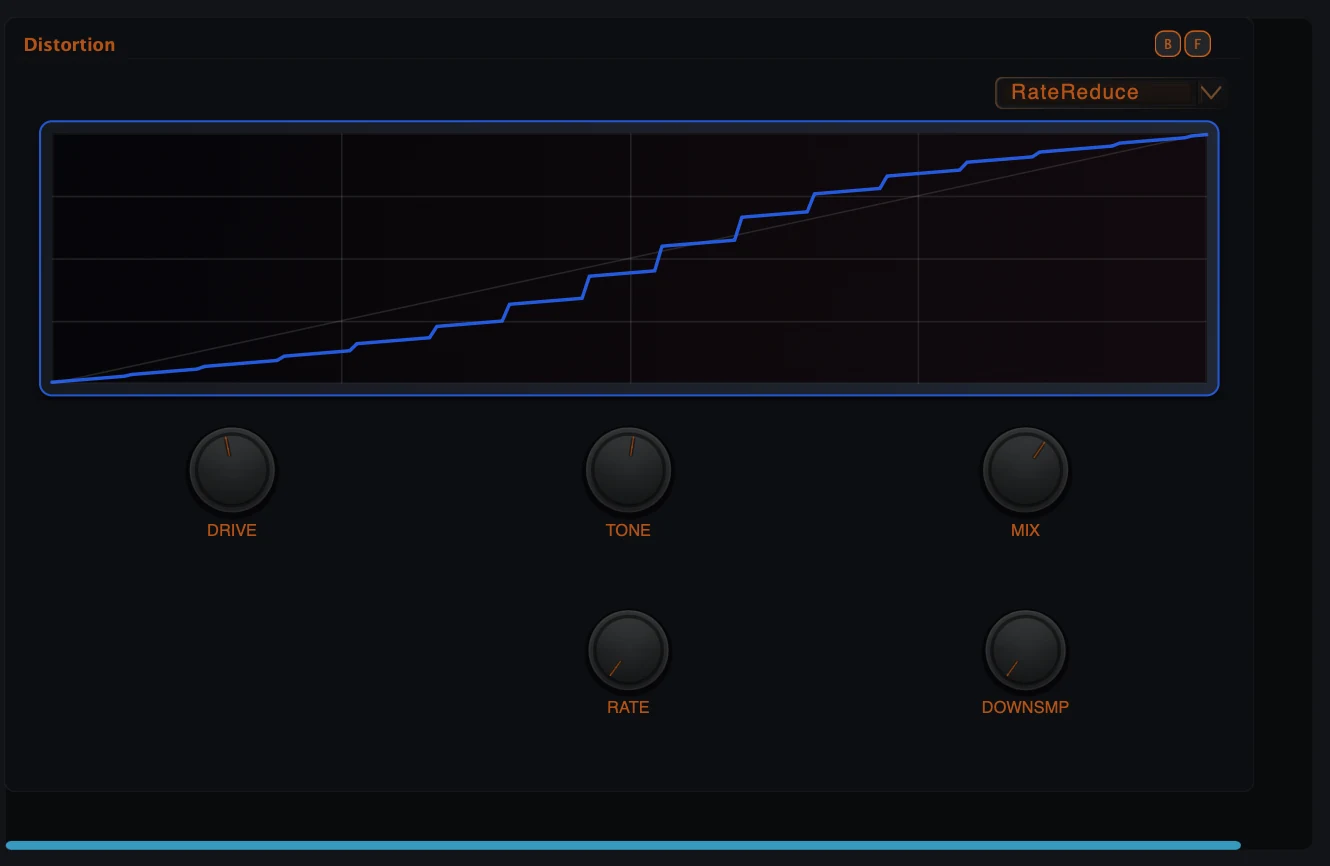
Distortion is the harmonic intensity module. It can add subtle warmth, analog-style edge, hard clipping, bit-reduction, rate-reduction or wavefolding. Its main workflow is simple: increase Drive, shape the result with Tone and blend with Mix.
| Algorithm family | Use |
|---|---|
| Tape | Warm saturation and soft harmonic density. |
| Tube | Valve-style drive and rounded harmonic emphasis. |
| Diode | Sharper nonlinearity and aggressive bite. |
| Hard Clip | Direct clipping for strong edge and level control. |
| Bit Crush | Digital resolution reduction and lo-fi texture. |
| Rate Reduce | Sample-rate style degradation and digital grit. |
| Wavefold | Folded harmonic complexity and synthetic intensity. |
EQ
EQ is the fast Maelstrom tone shaper. It combines low shelving, a sweepable mid band and high shelving. Use it before spatial modules to feed them a cleaner tone, or after creative modules to rebalance the chain.
Delay
Delay is a rhythmic echo module with multi-tap behavior, timing control, stereo spread, feedback character and modulation. It is suited to classic echo, syncopated repeats, psytrance motion, transitions and performance throws.
Reverb
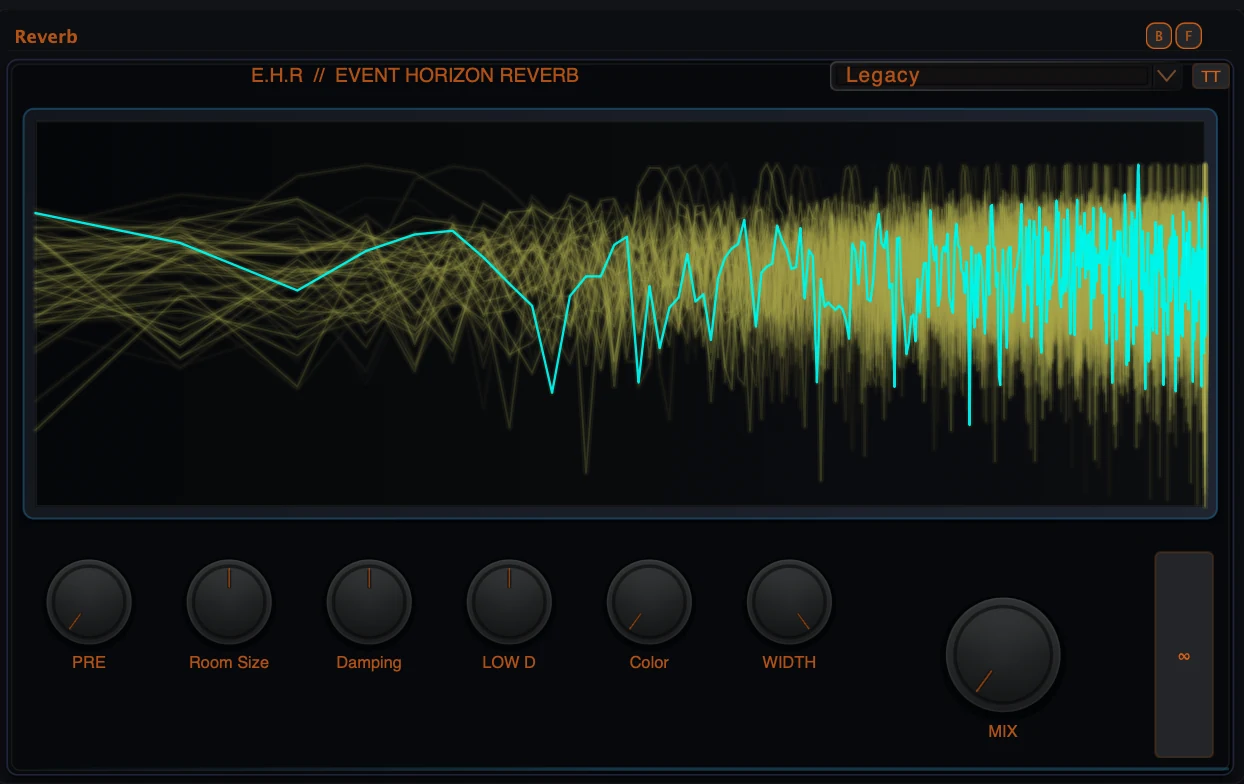
Reverb creates depth and space. It supports multiple reverb engines, including classic space and advanced environments such as Event Horizon, Prism and Singularity. Some algorithms may require the relevant edition or module ownership.
Chorus and Phaser
Chorus and Phaser are the movement processors. Chorus adds modulation thickness, stereo animation and widening. Phaser adds sweeping phase movement and animated notches. Both are useful before delays and reverbs when the sound needs motion before space.
Parallax
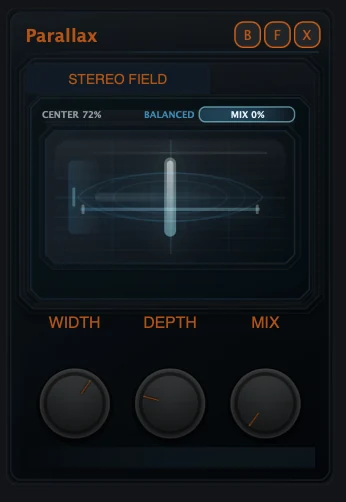
Parallax is Maelstrom's stereo field sculptor. It shapes width, depth, center stability and spatial motion. Use it to widen pads, control leads, deepen FX or create a more cinematic field while keeping the center under control.
Fracture
Fracture is the rhythmic fragment repeater. It captures short pieces of recent input and replays them as glitch pulses, rhythmic cuts, fills and repeat events. It can be subtle for motion or aggressive for performance-style disruption.
Prism FX
Prism FX is Maelstrom's spectral motion processor. It reshapes spectral material using controls such as Focus, Span, Warp, Diffuse, Memory, Tilt, Split and Mix. It is designed for spectral movement, shifting focus regions, animated texture and advanced timbral transformation.
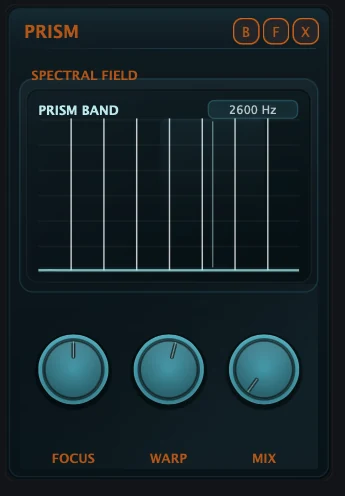
| Prism FX control | Practical meaning |
|---|---|
| Focus | Moves the main spectral attention area. |
| Span | Controls how wide the affected spectral region is. |
| Warp | Bends or redistributes spectral motion around the focus area. |
| Diffuse | Smooths or smears the spectral result. |
| Memory | Adds spectral persistence and motion memory. |
| Tilt | Changes spectral balance across the frequency range. |
| Split | Shapes stereo or split-field behavior. |
| Mix | Blends Prism FX with the dry signal. |
Aegis Dynamics
Aegis Dynamics is Maelstrom's dynamics and safety processor. It covers transparent control, punch, glue, linked multiband shaping, Up/Dn MB behavior and limiter-style safety. Its full workflow is documented in the dedicated Aegis Dynamics manual.
Advanced Maelstrom Modules
Aegis Dynamics, Fracture, Parallax and Prism FX represent the advanced side of Maelstrom. They are not simply utility effects. They are deep processors that can define the character, motion, spatial depth and safety of a Vectra sound.
| Advanced module | Best for | Read next |
|---|---|---|
| Aegis Dynamics | Leveling, punch, glue, linked multiband shaping and safety. | Aegis Dynamics Manual |
| Fracture | Rhythmic fragments, glitch fills, pulse repeats and transition events. | Fracture Manual |
| Parallax | Stereo-field depth, width, center stability and cinematic placement. | Parallax Manual |
| Prism FX | Spectral focus, warp, memory and timbral motion. | This overview, plus future Prism FX deep manual if released. |
Macro Bay and Living Matrix Integration
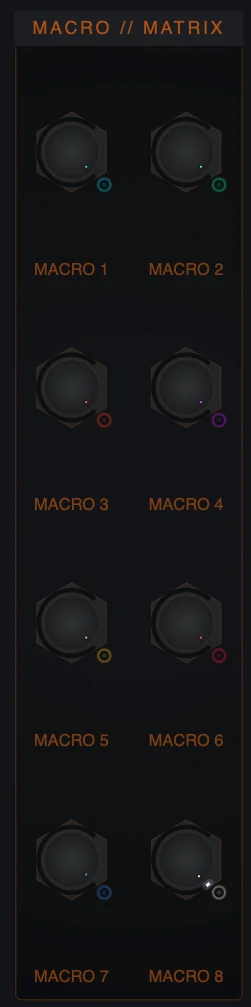
Maelstrom is part of Vectra's modulation environment. FX parameters can appear as Living Matrix destinations where they are exposed. Macro Bay remains visible on the FX page so effect movement can become part of the playable patch.

| Module | Examples of exposed modulation destinations |
|---|---|
| Distortion | Drive, Tone, Mix |
| EQ | Low Gain, Mid Frequency, Mid Gain, High Gain |
| Delay | Time, Feedback, Mix, Tone, Mod Rate, Mod Depth |
| Reverb | Size, Mix, Tone, Pre Delay, Width, Low Decay, Character |
| Chorus | Rate, Depth, Mix |
| Phaser | Rate, Depth, Mix |
| Parallax | Width, Depth, Bloom, Skew, Air, Mix |
| Fracture | Rate, Swing, Slice, Gate, Chance, Jitter, Reverse, Spread, Mix |
| Prism FX | Focus, Span, Warp, Diffuse, Memory, Tilt, Split, Mix |
| Aegis Dynamics | Drive, Threshold, Ratio, Amount, Attack, Release, Knee, Output, Mix, Up/Down, SC HPF |
Ownership, Locked Modules and Store Content
Some Maelstrom modules and some algorithms can require edition access, an individual module purchase or a content entitlement. This includes advanced modules such as Parallax, Fracture and Prism FX, and selected algorithms in modules such as Distortion and Reverb.
Vectra supports single-module purchases from version 1.7.0 onward where products are available through Audionerdz. This lets users expand a setup without necessarily changing the whole edition. After purchasing, use License Center sync so Vectra can refresh local ownership.
| Situation | What it means | What to do |
|---|---|---|
| Module is unavailable | The current installation does not have access to that module. | Check edition/module ownership and sync purchases. |
| Algorithm is unavailable | The module is present, but a specific algorithm needs ownership. | Choose an available algorithm or unlock the required content. |
| Preset sounds incomplete | The preset may require a module or algorithm not available locally. | Open Preset Browser and Sound DNA to inspect missing requirements. |
| Purchase was just made | Vectra may not have refreshed the account state yet. | Run Sync Audionerdz Purchases in License Center. |
Practical Workflows
Clean finishing chain
- Add EQ to remove excess lows or brighten the patch.
- Add Parallax if the sound needs stereo placement.
- Add Aegis Dynamics near the end for control and safety.
- Save the preset with the complete chain.
Psytrance movement chain
- Add Phaser or Chorus for motion.
- Add Delay for timed echo movement.
- Use macro modulation on Mix or Rate-style controls where exposed.
- Keep each Mix moderate so the chain stays playable.
Glitch transition chain
- Add Fracture after a tonal module.
- Use Rate, Slice, Chance and Mix to define the fragment behavior.
- Place Delay or Reverb after Fracture for tail and depth.
- Map a macro to bring the effect in for fills.
Wide cinematic chain
- Add Parallax for depth and width.
- Add Reverb for space.
- Use Aegis Dynamics lightly if the tail needs control.
- Check mono and center impact when using very wide settings.
Spectral motion chain
- Add Prism FX for spectral focus and warp.
- Use Focus and Warp to find the moving texture.
- Blend with Mix before adding extra space.
- Modulate exposed Prism FX destinations for controlled movement.
Troubleshooting
| Problem | Likely cause | Fix |
|---|---|---|
| Module is not sounding | It may be bypassed, set too dry or placed where the input is subtle. | Check B, Mix and chain position. |
| Effect is too strong | The module Mix or intensity controls are too high. | Lower Mix first, then reduce deeper controls. |
| Chain changes after reorder | Maelstrom is ordered and serial. | Use the order intentionally. Move dynamics, delay or reverb based on the desired result. |
| Cannot drag cards | A module may be focused/expanded. | Return to overview, then drag compact cards. |
| Cannot add another module | The chain may be full or the view may be focused. | Return to overview and check the eight-slot limit. |
| Module is locked | Edition, module or content ownership is required. | Unlock the module or sync purchases in License Center. |
| Preset loads with missing requirements | The preset uses a module or algorithm not available locally. | Use Preset Browser and Sound DNA to inspect the requirement. |
| Modulation destination not visible | Only exposed parameters appear as destinations. | Open Living Matrix and choose from the available Maelstrom destinations. |
Technical Appendix
Ordered eight-slot chain
Maelstrom uses an ordered FX chain with up to eight active module slots. Modules process in their current order. Reordering compact cards changes the processing result.
Compact and expanded editor model
Compact cards and expanded editors are two views of the same module instance. The compact card is designed for rack overview and quick controls. The expanded editor is designed for deeper module work.
Preset compatibility
Maelstrom chain settings are saved with Vectra presets. Older presets that were created before the current modular chain system are restored through a compatibility path so they can continue to load in current Vectra versions.
Modulation exposure
Maelstrom parameters can participate in the Living Matrix where they are exposed as destinations. This keeps FX motion inside Vectra's normal modulation workflow while avoiding the assumption that every visible control is a routable destination.
Ownership and module access
Advanced modules and selected algorithms can depend on edition or module ownership. If a preset or module reports a missing requirement, use the Preset Browser, Sound DNA and License Center sync workflow to resolve access.
Back to top